Vernum
SMS Verification · Virtual Number

Temporary Virtual Number for Google & Gmail SMS Verification

Pass the phone verification Google asks for when creating a new Gmail address — without giving up your real number.

190+ countries Instant delivery Automatic refund
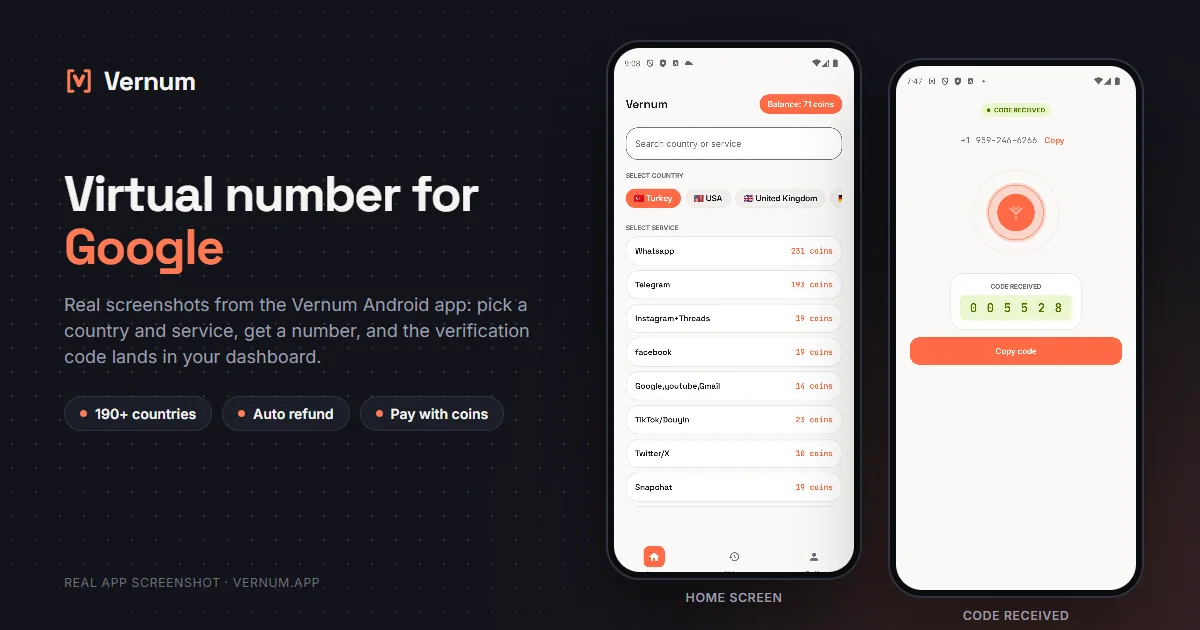
Vernum Android app screenshots: choosing a country and service on the home screen, then the received SMS verification code for Google
Real app screens: pick a country and service, get a number, and the Google verification code lands in your dashboard.

Why a virtual number for Google?

Google requests SMS verification at signup and during security checks, and it is one of the most selective platforms toward virtual numbers; it frequently rejects numbers it recognizes as VoIP. That makes choosing the right provider and the right country more critical for Google than for any other service.

Vernum measures the real delivery success of the numbers in its catalog and sorts the country list accordingly — for hard services like Google, this ranking saves you from burning coins on trial and error. And if no code arrives, the refund is automatic anyway.

Get your code in three steps

1

Pick a country and service

Select the Google service in the panel; countries are sorted by measured success rate.

2

Get your number instantly

A real number is assigned to you, ready to receive the code.

3

See the code in your dashboard

Enter the number in Google; the incoming verification code appears instantly in your panel and as a notification.

Step by step: verifying Google with a virtual number

When the phone screen shows up while you are creating a Google account for Gmail or YouTube, follow this order.

  1. Select the Google service in the Vernum dashboard. Countries are sorted by measured success rate, and since Google rejects some numbers for verification, starting from the top of the list keeps your number of attempts down. The timer starts once a number is assigned.
  2. Copy the number and do not close the Vernum tab. Google sends a 6-digit code that starts with 'G-'; it will appear in the dashboard and as an Android notification.
  3. When the phone number screen appears in Google's account creation flow, pick the country Vernum shows from the flag menu and type the number without the country code. Google displays the full number underneath; check it and click Next.
  4. If Google says 'This phone number cannot be used for verification', do not insist. Drop the number, your coin is refunded when the timer ends, rent a new one from a different country, and enter it on the same screen.
  5. When the SMS arrives, type only the six digits into Google's field, without the G- prefix. Do it before the timer ends; if the time runs out, the number returns to the pool and you cannot see a code sent to it.
  6. Once the account is open, go to Google Account > Security: add a recovery email, turn on 2-Step Verification with an authenticator app or a passkey, and remove the virtual number from the account if it was saved as a recovery phone.

Which country's numbers work best?

US, UK and Canada numbers perform best for Google verification; because Google often rejects VoIP numbers, starting with the high-success countries at the top of the list matters here more than anywhere else.

Google virtual number prices

Catalog snapshot from 2026-09-05 — the countries where Google numbers are cheapest, in coins. 1 coin ≈ $0.01; see the catalog page for live prices and all 577 countries.

CountryPrice
🇦🇿 Azerbaijan25 coins
🇨🇦 Canada25 coins
🇨🇦 Canada25 coins
🇨🇱 Chile25 coins
🇨🇲 Cameroon25 coins

Common mistakes in Google verification

Leaving the virtual number as recovery phone

Google sends a code to the recovery phone when you need to get the account back. Once the number is back in the pool you cannot receive that code, so add a recovery email and remove the virtual number from the account.

Insisting on a rejected number

If Google has rejected a number, typing it again does not change the outcome. Drop it, wait for the refund, and try a new number from another country.

Typing the code with the G- prefix

The SMS reads 'G-123456'. Google's input already shows the G- part, so enter only the six digits; typing the prefix or the dash again makes the code invalid.

Choosing voice verification

Google also offers a 'Call me' option instead of SMS. Vernum cannot receive calls, so always stay with the text message option.

Virtual number or your own number?

A Google account is usually the key to other accounts too, which makes this choice matter more than for most services.

SituationRecommendation
Your main Gmail with bank and social accounts attachedYour own number: Google asks for a code on the phone after a suspicious login; with a virtual number that door closes and recovery gets hard.
A separate Gmail for a project or app sign-upsVirtual number: you keep test and sign-up accounts away from your main one; do not skip the recovery email and authenticator app.
A separate YouTube channelVirtual number: the channel hangs off a Google account, and you can open that account with a virtual number; if you plan to grow the channel, add your own number later.
Google Ads, payments, or a Play Console accountYour own number: payment and developer accounts require identity verification, so use a permanent number and real details.

Why Vernum?

🎯 Sorted by success rate

The country list is ordered by real measured delivery success — you choose by data, not luck.

↩️ Automatic refund

If the timer runs out before a code arrives, your coins return to your balance on their own.

🌍 190+ countries

A live catalog refreshed hourly, with dozens of operator pools per country.

✉️ New Gmail accounts

Pass Google's sign-up phone check without handing your real number to Google.

Frequently asked questions

How do I get a virtual number for Google?

Create a Vernum account, add coins, then pick a country and the Google service. A number is assigned instantly; enter it in Google and the incoming SMS code shows up in your panel.

Is a Gmail account opened with a virtual number safe to use?

The account works normally, but Google may ask to re-verify later. If you plan to keep the account, add a recovery email and switch to app-based two-factor authentication (Authenticator) so you never need the number again.

What happens if the code doesn't arrive?

If the number expires before a code arrives, the coins you spent are refunded to your balance automatically. You can retry immediately with a different country or operator.

Is using a virtual number legal?

Yes — renting a virtual number and using it for Google verification is legal; it is a legitimate privacy tool for keeping your real number to yourself. Google's own rules are about how the account is used: fraud, spam or impersonation are prohibited there as on any platform.

How long is the number mine?

The number is reserved for you until the Google code arrives; once the code shows in your dashboard and verification is done, the number goes back to the pool. If Google ever asks to re-verify you may not have access to the same number, so enable a recovery email and 2-Step Verification on the Google account right after creating the account.

Google rejects virtual numbers, so does it work with Vernum?

Google can refuse to send SMS to numbers that have been used heavily. Vernum numbers are real carrier numbers, and because the country list is ordered by measured success, the countries near the top are accepted more often. On a rejected attempt no code arrives, so your coin is refunded when the timer ends; a few tries will not drain your balance.

Does YouTube's phone verification work with this number too?

YouTube asks for a separate phone verification to unlock certain channel features, and that also runs over SMS. You can use a number rented through the Google service in Vernum on that screen; the verification is recorded on the channel and you will not need the same number again.

Can I request a code on the same number a second time?

Before the first code arrives and while the timer is running, yes: clicking 'Resend' in Google delivers the new SMS to the same dashboard. Once a code has arrived and verification is complete, the number returns to the pool; if Google asks for a code again later, you will need to rent a new number.

Is there a free temporary number for Google?

Free receive-SMS websites list the same few public numbers for everyone. Anyone can read the codes on the page, and Google has usually seen those numbers many times, so they tend to be rejected or already tied to another account. A number rented on Vernum is assigned only to you for the activation window and the code appears only in your own panel. Numbers for Google start from 25 coins, and if no code arrives, the coins are refunded automatically.
Related guides

Get your Google code now.

Create an account, add coins and rent your first number in seconds. If no code arrives, the refund is automatic.

Go to dashboard →