Vernum
SMS Verification · Virtual Number

Temporary Virtual Number for Tinder SMS Verification

Giving a dating app your real number creates a permanent link to people you haven't met yet. Complete Tinder verification with a temporary number instead.

190+ countries Instant delivery Automatic refund
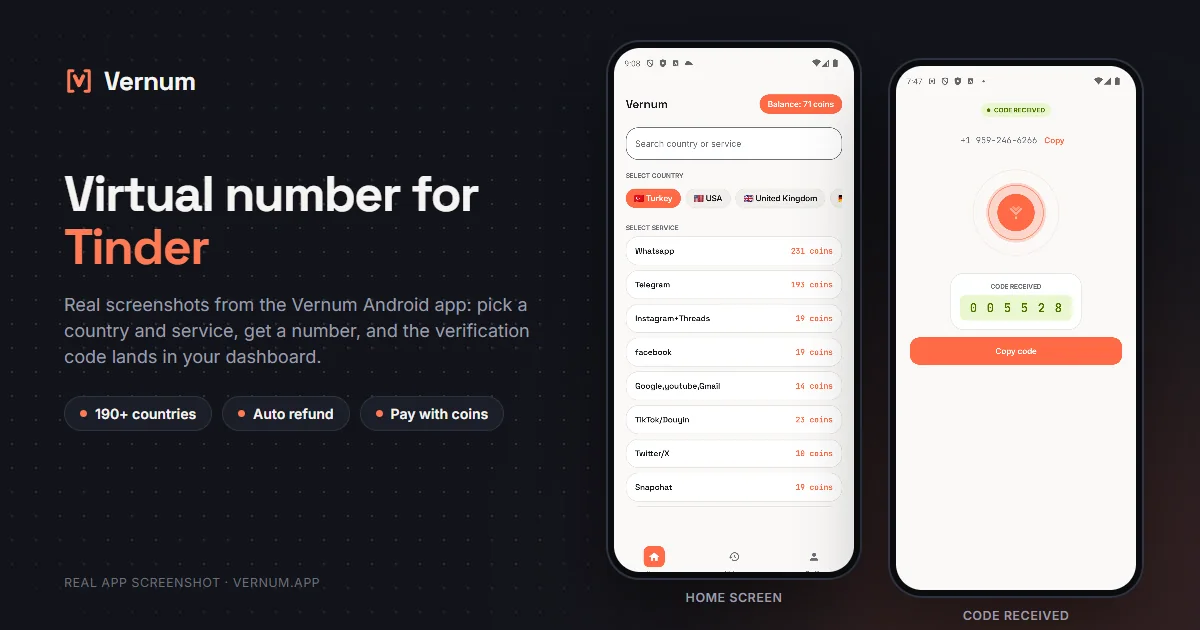
Vernum Android app screenshots: choosing a country and service on the home screen, then the received SMS verification code for Tinder
Real app screens: pick a country and service, get a number, and the Tinder verification code lands in your dashboard.

Why a virtual number for Tinder?

Tinder requires SMS verification for every new account and is one of the strictest platforms toward virtual numbers: it rejects most numbers flagged as VoIP. That's why Tinder calls for a service offering real carrier numbers rather than random free-number websites.

Vernum's catalog holds different operator pools per country, and the list is sorted by measured success rate. Hard services like Tinder may take a couple of attempts — since coins are refunded automatically on every attempt where no code arrives, the cost stays under your control.

Get your code in three steps

1

Pick a country and service

Select the Tinder service in the panel; countries are sorted by measured success rate.

2

Get your number instantly

A real number is assigned to you, ready to receive the code.

3

See the code in your dashboard

Enter the number in Tinder; the incoming verification code appears instantly in your panel and as a notification.

Step by step: verifying Tinder with a virtual number

Tinder treats the phone number as your login key, so order matters: number first, finish setup in one sitting, add a second login path last.

  1. In the Vernum dashboard pick Tinder from the service list. Countries are sorted by measured success rate; rent a number from one near the top. The countdown starts and the number is reserved for you.
  2. Open the Tinder app and tap Log in with phone number. Select the assigned number's country from the country code list, type the remaining digits without spaces and continue; Tinder sends the code by SMS.
  3. Return to the Vernum dashboard. The code appears there and as a notification; if the timer ends first, coins are refunded automatically and you retry with the next country. Tinder rejecting some carriers is normal.
  4. Enter the code. Profile setup starts next: name, birthday, photos, preferences. Do not close the app here; if setup stays half done, Tinder may ask for SMS again and the number is already released.
  5. Once the profile exists, go to Settings > Account settings, add an email address and confirm it through the link. Also connect one of Tinder's other sign-in options to get back in without SMS.
  6. Finally, before ever logging out, test that email sign-in works once and complete photo verification. On an account opened with a single-use number, this two-minute check saves you from being locked out later.

Which country's numbers work best?

US and UK numbers are the most common choice for Tinder; physical (real SIM) number pools succeed far more often than VoIP. Higher prices than other services are normal here — for tough verifications, that's the price of a number that actually works.

Tinder virtual number prices

Catalog snapshot from 2026-09-05 — the countries where Tinder numbers are cheapest, in coins. 1 coin ≈ $0.01; see the catalog page for live prices and all 194 countries.

CountryPrice
🇦🇿 Azerbaijan25 coins
🇧🇩 Bangladesh25 coins
🇧🇷 Brazil25 coins
🇧🇹 Bhutan25 coins
🇨🇦 Canada25 coins
🇨🇱 Chile25 coins

Common mistakes in Tinder verification

Trying to bring back a banned account

Getting around a Tinder ban with a new number is against Tinder's rules and is usually caught through other signals such as device and photos. A virtual number is for privacy, not for ban evasion.

Logging out before finishing the profile

Logging out makes Tinder ask for an SMS code again, and the number has already gone back to the pool. Finish setup in one session and do not leave the app before adding an email.

Picking a country code that does not match the number

The country code in Tinder must match the number's country; otherwise the code goes elsewhere, the dashboard timer runs out and you assume the country was the problem.

Relying on phone login alone

Tinder asks for a code when you reinstall the app or switch devices. Do not trust the account long term without a second sign-in method; the number will not be yours that day.

Virtual number or your own number?

On Tinder the right choice depends on how long you will keep the profile and whether money will be attached to it.

SituationRecommendation
A main profile you will keep for a long timeYour own number: Tinder runs logins through the number, and on a permanent profile you need to receive a code every time you change devices.
Travel or short-term useVirtual number: enough for a temporary profile without handing over your real number; you can add your own number later in settings if you want.
You do not want to give a dating app your numberVirtual number plus a confirmed email: matches never see the number anyway, but in a data leak your own number would not be part of it.
You will buy a paid subscription like Tinder GoldYour own number: the subscription is tied to the account, and if you lose access to the account you lose the time you paid for.

Why Vernum?

🎯 Sorted by success rate

The country list is ordered by real measured delivery success — you choose by data, not luck.

↩️ Automatic refund

If the timer runs out before a code arrives, your coins return to your balance on their own.

🌍 190+ countries

A live catalog refreshed hourly, with dozens of operator pools per country.

🔒 Your number stays private

Open a Tinder profile without tying it to your real line; your number never reaches a match.

Frequently asked questions

How do I get a virtual number for Tinder?

Create a Vernum account, add coins, then pick a country and the Tinder service. A number is assigned instantly; enter it in Tinder and the incoming SMS code shows up in your panel.

Can other people see my Tinder phone number?

No — Tinder never shows your phone number to other users; it's used only for verification and account recovery. Using a virtual number guarantees your real number can't surface even in a data leak.

What happens if the code doesn't arrive?

If the number expires before a code arrives, the coins you spent are refunded to your balance automatically. You can retry immediately with a different country or operator.

Is using a virtual number legal?

Yes — renting a virtual number and using it for Tinder verification is legal; it is a legitimate privacy tool for keeping your real number to yourself. Tinder's own rules are about how the account is used: fraud, spam or impersonation are prohibited there as on any platform.

How long is the number mine?

The number is reserved for you until the Tinder code arrives; once the code shows in your dashboard and verification is done, the number goes back to the pool. If Tinder ever asks to re-verify you may not have access to the same number, so enable an email address on the Tinder account as a second login right after creating the account.

Does Tinder ask for a login code every time I open the app?

No; as long as you stay signed in, no code is requested. It asks when you log out, delete the app or move to a new device. That is why adding an email or another sign-in method right after opening the account matters.

Can I replace the number on Tinder with my own number after the account is open?

Yes. In the phone number section of Settings you enter the new number and confirm it with the code you receive. That way the virtual number handles sign-up and your own number handles permanent access.

Can I do Tinder photo verification with a virtual number?

Photo verification is independent of the number; you show your own face to the camera. The virtual number only solves the SMS step, and for the blue check you still complete Tinder's own selfie flow.

Is there a free temporary number for Tinder?

Free receive-SMS websites list the same few public numbers for everyone. Anyone can read the codes on the page, and Tinder has usually seen those numbers many times, so they tend to be rejected or already tied to another account. A number rented on Vernum is assigned only to you for the activation window and the code appears only in your own panel. Numbers for Tinder start from 25 coins, and if no code arrives, the coins are refunded automatically.
Related guides

Get your Tinder code now.

Create an account, add coins and rent your first number in seconds. If no code arrives, the refund is automatic.

Go to dashboard →