Vernum
SMS Verification · Virtual Number

Uber Virtual Number for SMS Verification

Signing up for Uber in a new country, or just not keen on giving a ride-hailing app your real number? Rent a temporary number and read Uber's verification code in your dashboard.

190+ countries Instant delivery Automatic refund
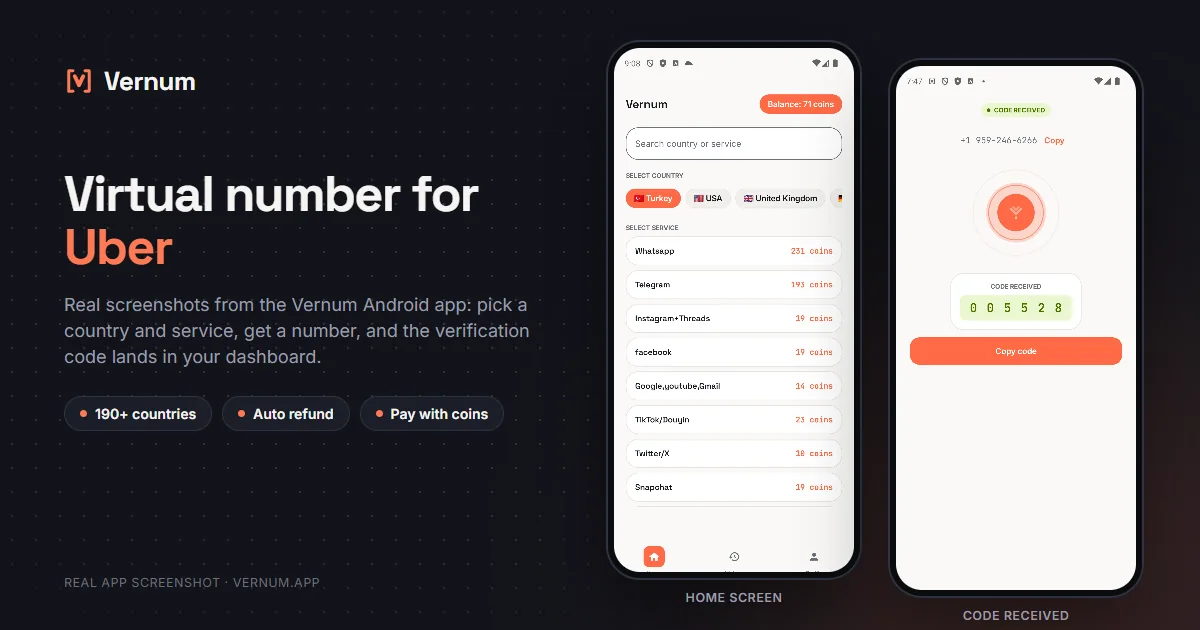
Vernum Android app screenshots: choosing a country and service on the home screen, then the received SMS verification code for Uber
Real app screens: pick a country and service, get a number, and the Uber verification code lands in your dashboard.

Why a virtual number for Uber?

Uber ties every account to a phone number and texts you a code at sign-up, and sometimes again when you log in from a new device. If you want a local account while traveling, a separate line for work rides, or simply prefer not to hand your real number to a ride-hailing app, you need a number you don't otherwise use. Rent a real single-use number from Vernum, type it into the Uber app, and the verification code lands straight in your Vernum dashboard.

The number is reserved only for your activation; once the code arrives and you finish verifying, it is released. If the timer runs out before a code shows up, the coins you spent go back to your balance automatically, and you can retry with another country right away.

Get your code in three steps

1

Pick a country and service

Pick the Uber service in the dashboard; countries are sorted by measured success rate.

2

Get your number instantly

A real number is assigned to you, ready to receive the code.

3

See the code in your dashboard

Enter the number in the Uber app; the incoming verification code appears instantly in your dashboard and as a notification.

Step by step: verifying Uber with a virtual number

On Uber the phone number is the account itself: sign-up, login, and ride notifications all run through it, so follow the steps in order.

  1. In the Vernum dashboard, type Uber into the search box; the country list is ordered by measured success rate for this service. Pick a country where Uber operates from the top of the list and rent the number.
  2. Note the countdown on the number card and open the Uber app or web sign-up right away; if no code arrives before the timer ends, the coins are refunded automatically and you can try another country.
  3. On Uber's first screen, tap the flag next to the phone field, choose the country of the number you rented, and paste the number without the country code; then tap Next.
  4. Uber sends a short verification code by SMS; go back to the Vernum dashboard, where the code shows on the number card, and if you use the Android app it also arrives as a notification.
  5. Enter the code in Uber and finish the name, email, and password steps; the number is released on Vernum and, being single-use, will not work for a second Uber account.
  6. Once the account exists, confirm your email address in Uber's settings and set a password so that future logins can go through email instead of a phone code.

Which country's number works best?

Uber handles phone verification differently from country to country and accepts some countries' numbers more readily, and that picture shifts over time, so a fixed list would go stale quickly. Vernum sorts the country list by real measured delivery success, so the list itself is your best guide: start at the top, and if no code arrives, take the refund and move one row down. Picking a number from the country where you will use Uber usually makes things smoother.

Uber virtual number prices

Catalog snapshot from 2026-08-26 — the countries where Uber numbers are cheapest, in coins. 1 coin ≈ $0.01; see the catalog page for live prices and all 196 countries.

CountryPrice
🇮🇩 Indonesia4 coins
🇬🇧 United Kingdom5 coins
🇰🇬 Kyrgyzstan6 coins
🇻🇳 Vietnam6 coins
🇧🇷 Brazil7 coins
🇨🇱 Chile7 coins

Common mistakes in Uber verification

A number from a country without Uber

Uber does not operate everywhere and rejects some country codes at sign-up. Choose a number from a country where Uber is active; Vernum's success ranking already reflects this.

Entering the number without changing the flag

Uber's phone field defaults to the country you are in. If you do not switch the flag to the number's country, the code is never sent.

Skipping the email step

On Uber the phone is the login key; if you do not add an email and password, the next login asks for SMS again, and that number is no longer yours.

Restarting the sign-up

If you go back and restart while waiting for the code, Uber fires a new code request and the first code becomes invalid; just wait in the dashboard.

Virtual number or your own number?

Uber uses your phone number for login, driver contact, and trip notifications, so choose based on what you are opening the account for.

SituationRecommendation
Daily use where you talk to driversYour own number: drivers and support reach you on it, and a virtual number will not be in your hands by then.
A one-off rider account while travelingVirtual number: for short-term use, passing verification without giving Uber your real number is enough.
You don't want drivers seeing your real numberUber already masks driver calls in many regions; you can still sign up with a virtual number, just add an email and password immediately after.
You only plan to order on Uber EatsA virtual number works, but keep in mind the courier will not be able to call you if a delivery goes wrong.

Why Vernum?

🎯 Sorted by success rate

The country list is ordered by real measured delivery success — you choose by data, not luck.

↩️ Automatic refund

If the timer runs out before a code arrives, your coins return to your balance on their own.

🌍 190+ countries

A live catalog refreshed hourly, with dozens of operator pools per country.

🚗 Local Uber account while traveling

Sign up for Uber in the country you're visiting without buying a SIM, and keep your real number out of the app.

Frequently asked questions

How do I get a virtual number for Uber?

Create a Vernum account, add coins, then pick a country and the Uber service. A number is assigned instantly; enter it at the phone number step in the Uber app and the incoming SMS code shows up in your dashboard.

Will an Uber account opened with a virtual number keep working?

Yes, once verified the account works normally. The number itself is single-use, though, so if Uber later sends another code to it for a login from a new device or a security check, you may not be able to receive it. For an account you plan to keep, verify your email address and turn on two-step verification with an authenticator app in Uber's security settings.

What happens if the Uber code doesn't arrive?

If the number expires before a code arrives, the coins you spent are refunded to your balance automatically. You can retry immediately with a different country or operator; Uber may never send an SMS to some number ranges at all, and the refund works the same way in that case.

Is using a virtual number for Uber legal?

Yes. Renting a virtual number and using it to verify an Uber account is legal; it is a legitimate way to keep your real number private. Uber's own rules are about how the account is used: giving false identity details, promo abuse, or reopening an account Uber has closed violate its terms and can get the account shut down.

How long is the number mine?

The number is reserved for you until the Uber code arrives; once the code shows in your dashboard and verification is done, the number goes back to the pool. If Uber later sends another code to the same number you may not have access to it, so verify your email and enable Uber's two-step verification with an authenticator app right after creating the account.

Can I use a virtual number for an Uber driver account?

Driver accounts go through document, identity, and vehicle checks, and Uber stays in regular contact with drivers. Use your own number for that account type; a virtual number is suited to rider account verification.

What if Uber sends the code over WhatsApp?

In some countries Uber offers to send the code via WhatsApp instead of SMS. Vernum only captures SMS, so if the option appears on screen, choose send by SMS.

How do I log in to Uber after the number is released?

On the Uber login screen you can enter your email address instead of the phone; Uber may then send a code to your email or ask for your password. That is why you should not skip the email and password setup in step six.

Related guides

Get your Uber code now.

Create an account, add coins and rent a number for your Uber sign-up in seconds. If no code arrives, the refund is automatic.

Go to dashboard →