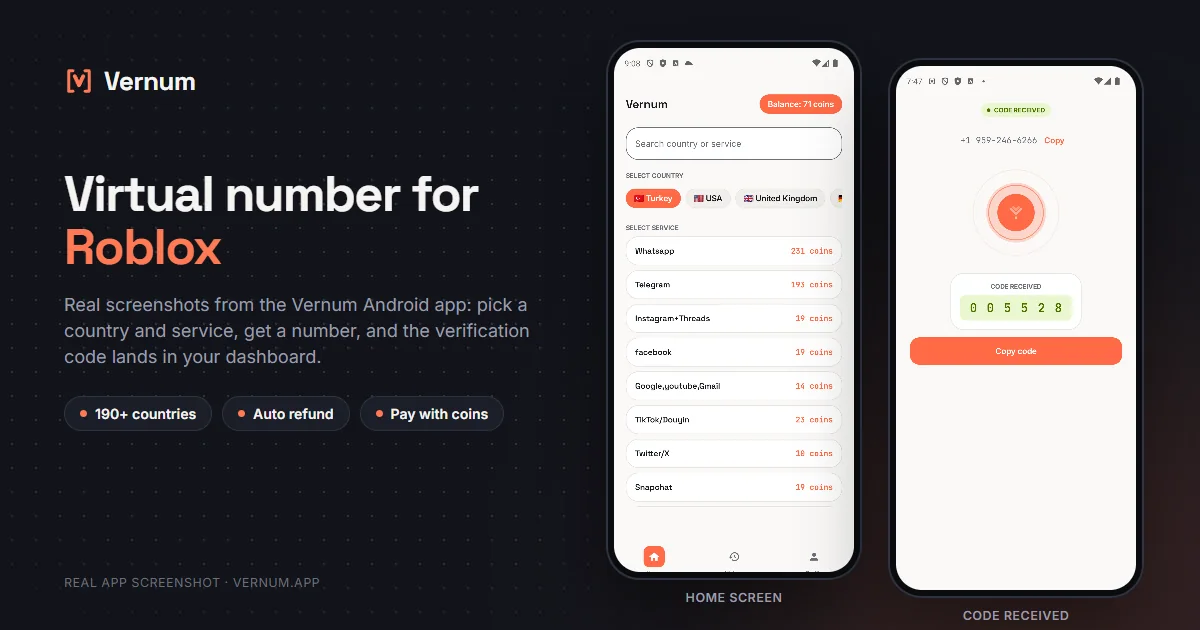
Want to add a phone to your Roblox account without handing over your real number? Rent a temporary number and read the Roblox SMS verification code in your dashboard.

Roblox lets you add a phone number in account settings for security and password recovery, and some features may be tied to a verified number. You may not want to give your real line to a gaming platform, or reusing the same number across several accounts in your household may be awkward. A virtual number handles that step: rent a real single-use number from Vernum, enter it in Roblox's account settings, and the incoming SMS verification code lands straight in your Vernum dashboard. Your real number never appears anywhere.
The number is reserved only for your activation; once the Roblox code arrives and you finish verifying, it goes back to the pool. If no code shows up before the timer ends, the coins you spent are refunded to your balance automatically, so a number that never delivers costs you nothing. Pick another country or operator and try again.
Pick the Roblox service in the dashboard; countries are sorted by measured success rate.
A real number is assigned to you, ready to receive the code.
Enter the number in the phone field under Roblox's account settings; the SMS verification code appears in your dashboard and as a notification the moment it arrives.
Roblox does not ask for a number when you create an account; the phone is added later from account settings, and this walkthrough gets you through exactly that screen with a Vernum number.
Roblox supports phone verification for many countries, but it may not offer every country code and may decline numbers it flags as virtual, and which country receives codes cleanly changes over time. Instead of picking a country from memory, look at Vernum's ranking: the app orders the country list for the Roblox service by real measured delivery success. Start at the top; if no code arrives the refund is automatic, so trying the next one costs nothing extra.
Catalog snapshot from 2026-08-26 — the countries where Roblox numbers are cheapest, in coins. 1 coin ≈ $0.01; see the catalog page for live prices and all 17 countries.
| Country | Price |
|---|---|
| 🇳🇱 Netherlands | 10 coins |
| 🇮🇩 Indonesia | 12 coins |
| 🇮🇳 India | 12 coins |
| 🇲🇾 Malaysia | 12 coins |
| 🇹🇭 Thailand | 12 coins |
| 🇨🇴 Colombia | 14 coins |
With SMS verification on, Roblox sends a code to the number at every new login. Once the single-use number is back in the pool, no code arrives and you are locked out; pick the authenticator app instead.
Password resets and account recovery on Roblox run through this number. Put a parent's permanent number on the account that holds your child's Robux and friend list, not a virtual one.
Roblox keeps the country menu separate. If a different country is selected when you paste the number, the SMS leaves with the wrong country code and never arrives.
Roblox applies a cooldown to back-to-back code requests. Ask once and watch the timer in the Vernum dashboard; if no code comes, the refund is automatic and a fresh number gives you a cleaner start.
On Roblox the phone number is one of the main ways to recover an account, so choose based on what has accumulated in it.
| Situation | Recommendation |
|---|---|
| Main account with Robux and purchase history | Your own number — account recovery and two-step verification run through it, so do not tie everything you have built up to a single-use number. |
| Second account for game development and testing | Virtual number — the account you use as a test player in Studio does not need your real number; secure it with an email and an authenticator instead. |
| A child's account under parental controls | The parent's own number — recovery and security notices should go to a number that is always reachable. |
| You do not want to give Roblox your real number | Verify with a virtual number, then add an email and an authenticator; if you start keeping Robux in the account, swap the number for a permanent one. |
The country list is ordered by real measured delivery success — you choose by data, not luck.
If the timer runs out before a code arrives, your coins return to your balance on their own.
A live catalog refreshed hourly, with dozens of operator pools per country.
Attach a phone to your Roblox account without exposing your real number; get the code, then turn on 2FA with an authenticator app.
Create a Vernum account, add coins, then pick a country and the Roblox service. A number is assigned instantly; enter it in Roblox's account settings and the incoming SMS code shows up in your dashboard and as a notification.
Yes, once verification is complete the account works normally. The number is single-use, so if Roblox later sends an SMS to it for a password reset or re-verification, you may not receive the code. Right after verifying, turn on two-step verification in Roblox with an authenticator app and make sure your email address is verified.
If the number expires before a code arrives, the coins you spent are refunded to your balance automatically. You can retry right away with a different country or operator. If Roblox rejects the number as soon as you enter it, there's no need to wait for an SMS; move to the next country on the list.
Yes. Renting a virtual number and using it for Roblox verification is legal; it's a legitimate privacy tool for not sharing your real number with a gaming platform. Roblox's terms are about how the account is used: evading bans, scamming, or impersonating someone is prohibited. Age rules and parental controls for children's accounts are set by Roblox, and a virtual number doesn't change them.
The number is reserved for you until the Roblox code arrives; once the code shows in your dashboard and verification is done, the number goes back to the pool. Roblox may later want to send an SMS to the same number for password recovery and you may not have access to it, so enable two-step verification with an authenticator app and keep your email address verified as soon as the account is set up.
No. Roblox asks for a username, password, and date of birth at signup; the phone number is optional and is added later under Settings, Account Info. Adding one opens an extra path for password resets and login verification.
No. Vernum numbers are single-use; once the code arrives, the number goes back to the pool. Roblox also limits how many accounts one number can be linked to. Rent a new number from the dashboard for each account.
Yes. From the Phone row under Settings, Account Info, you can change or remove the number. If you plan to keep the account, the healthiest move is to replace it with your own permanent number and move two-step verification to an authenticator app.
Create an account, add coins, and rent your first Roblox number in seconds; if no code arrives, the refund is automatic.
Go to dashboard →